


Every time you connect to the internet, your device sends out a digital fingerprint — your IP address — that websites, advertisers, and third parties can use to track your location, behavior, and identity. For millions of users around the world, proxy servers serve as a critical privacy shield, masking that fingerprint and enabling safer, freer browsing.
But here is the problem most people overlook: not all proxies are created equal. A proxy that appears to be working may be leaking your real IP address. A proxy sold as “anonymous” may actually be transparent. A proxy listed as active may have gone dead hours ago. That is precisely why knowing how to check proxies before you use them is not just a good habit — it is an essential skill for anyone serious about online privacy and security.
In this guide, you will learn what proxy checkers are, why they matter, what key metrics they reveal, and how to use Proxy-checker.net to verify any proxy quickly and accurately.
What Is a Proxy Server? A Quick Refresher
Before diving into proxy checkers, it helps to understand exactly what a proxy server does.
A proxy server is an intermediary computer that sits between your device and the websites you visit. Instead of connecting directly to a website, your traffic passes through the proxy first. The website sees the proxy’s IP address — not yours.
Common Reasons People Use Proxies
- Privacy protection: Masking your real IP address from websites, trackers, and advertisers
- Bypassing geo-restrictions: Accessing content unavailable in your region (streaming services, news sites, research platforms)
- Web scraping and data collection: Running automated tools without triggering IP-based rate limits or bans
- Security testing: Penetration testers and cybersecurity professionals use proxies to simulate various network conditions
- Business operations: Companies use proxies for competitive research, brand monitoring, and ad verification
- Education and research: Accessing academic resources and databases from different network environments
Proxies are powerful tools — but only when they actually work as advertised.
The Core Problem: Proxies You Cannot Trust
The proxy landscape is full of unreliable options. Free proxy lists are notoriously problematic: they are often outdated, overloaded, slow, or — worst of all — operated by malicious actors who monitor traffic passing through them.
Even paid proxies from legitimate providers can degrade over time, get blacklisted, or fail silently without warning.
Using an unverified proxy creates real risks:
- IP leakage: Your real IP may still be visible to websites despite the proxy being “active”
- Data exposure: Malicious or poorly configured proxies may log your browsing data
- Wasted time and bandwidth: Slow or dead proxies create frustrating, broken browsing sessions
- Account bans: For scraping or automation, using low-quality proxies often triggers detection and bans
- False sense of security: Believing you are anonymous when you are not is arguably more dangerous than knowing you have no protection at all
This is where proxy checkers become indispensable.
What Is a Proxy Checker?
A proxy checker is a tool that tests one or more proxy servers and returns detailed diagnostic information about each one. Rather than blindly trusting a proxy list or assuming your proxy is working correctly, a proxy checker gives you verified, real-time data.
What a Good Proxy Checker Reveals
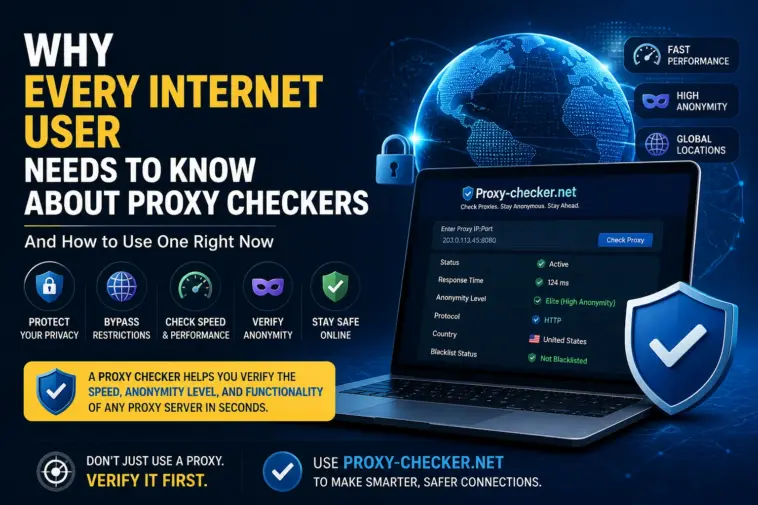
- Proxy Status (Active or Dead) The most basic check: is the proxy server currently online and responsive? Dead proxies are useless and surprisingly common on free lists.
- Response Time / Latency How fast does the proxy respond to requests? Measured in milliseconds, this directly impacts your browsing or scraping speed. A proxy with 3,000ms latency will make every website feel like it is loading through molasses.
- Anonymity Level This is arguably the most important metric for privacy-conscious users. Proxies are classified into three tiers:
- Transparent Proxies: The lowest level of privacy. These proxies pass your real IP address to the destination server in the HTTP headers. Websites can see exactly who you are. Transparent proxies offer essentially no privacy benefit.
- Anonymous Proxies: These hide your real IP address but still reveal that you are using a proxy by sending certain HTTP headers (like HTTP_VIA or HTTP_PROXY_CONNECTION). Websites know a proxy is in use, but cannot identify your real IP.
- Elite (High-Anonymity) Proxies: The gold standard. These proxies conceal both your real IP and the fact that you are using a proxy at all. To the destination server, the request looks like it is coming from a regular user. This is the level of anonymity most users actually need.
- Proxy Protocol
- HTTP proxies: Handle standard web traffic only
- HTTPS proxies: Support encrypted web traffic
- SOCKS4 / SOCKS5 proxies: More versatile, capable of routing any type of traffic, not just web browsing
- Country and Geographic Location Where in the world is the proxy server physically located? This matters for geo-specific access needs and compliance considerations.
- Blacklist Status Is the proxy’s IP address listed on known spam or abuse blacklists? Blacklisted IPs are frequently blocked by websites, email servers, and security systems.
Introducing Proxy-checker.net: The Smart Way to Verify Proxies
Among the available tools for proxy verification, Proxy-checker.net stands out for its combination of speed, accuracy, depth of analysis, and ease of use. It is a fully online tool — no software installation required — designed to give users a complete picture of any proxy’s functionality and anonymity characteristics in seconds.
What Makes Proxy-checker.net Different
Bulk Checking Capability
One of the most practical features is the ability to check large lists of proxies simultaneously. Instead of testing proxies one by one — a painfully slow process — you can paste an entire list and receive results for all of them in one pass. For users managing proxy pools for scraping, marketing research, or security work, this saves enormous time.
Multi-Protocol Support
The tool handles HTTP, HTTPS, SOCKS4, and SOCKS5 proxies, making it versatile for a wide range of use cases regardless of the proxy type you are working with.
Precise Anonymity Detection
The anonymity level detection on Proxy-checker.net goes beyond a simple label. It examines which HTTP headers are being transmitted to the destination server, giving you an accurate and transparent assessment of exactly what information is — and is not — being revealed.
Real-Time Speed Testing
Response time is measured live at the moment of checking, giving you an accurate snapshot of current proxy performance rather than outdated benchmarks.
Geo-Location Data
For each active proxy, the tool identifies the country and often the city of the server. This is particularly useful for users who need proxies in specific geographic regions for content access or localized research.
Clean, Intuitive Interface
Proxy-checker.net is designed to be accessible to users of all technical levels. You do not need to understand networking protocols to use it effectively. The interface is clear, the results are easy to read, and the process is straightforward.
How to Use Proxy-checker.net: Step-by-Step
Using Proxy-checker.net requires no account, no download, and no technical expertise. Here is exactly how to do it:
Step 1: Navigate to the Website
Open your browser and go to https://proxy-checker.net/en/. The main interface loads immediately with an input field ready for your proxy list.
Step 2: Enter Your Proxies
You can enter proxies in standard formats:
- IP:Port (e.g., 192.168.1.1:8080)
- IP:Port:Username:Password for authenticated proxies
Paste a single proxy or an entire list — the tool handles both without any configuration changes needed.
Step 3: Select the Protocol (Optional)
If you know the protocol of your proxies (HTTP, HTTPS, SOCKS4, SOCKS5), you can specify it. If you are unsure, the tool can auto-detect the protocol type during checking.
Step 4: Run the Check
Click the check button. The tool begins testing each proxy in real time. You can watch results populate as each proxy is verified — no need to wait for the entire list to complete before reviewing initial results.
Step 5: Review Your Results
For each proxy, you will see:
- ✅ or ❌ status (active or dead)
- Response time in milliseconds
- Anonymity level (Transparent / Anonymous / Elite)
- Protocol type
- Country of origin
- Any additional diagnostic details
Step 6: Export or Filter
Once checking is complete, you can filter results to show only active proxies, or proxies meeting specific criteria (elite only, under a certain latency threshold, from a specific country). Export the filtered list for immediate use.
Who Should Use a Proxy Checker?
Privacy-Conscious Individuals
If you use proxies to protect your personal data, knowing the anonymity level of your proxy is non-negotiable. A transparent proxy provides no meaningful privacy. Proxy-checker.net tells you exactly what you have before you trust it with your real identity.
Digital Marketers and SEO Professionals
Agencies and freelancers running rank tracking, competitor research, or ad verification tools rely on proxies to avoid IP-based restrictions. Verifying proxy quality directly impacts the reliability of the data you collect.
Web Developers and Scrapers
Automated data collection at scale requires reliable proxies. A single dead or throttled proxy can stall an entire scraping job. Bulk checking with Proxy-checker.net lets you pre-validate your proxy pool before deploying it.
Cybersecurity Professionals
Penetration testers and security researchers use proxies to simulate real-world attack scenarios and test network defenses. The ability to verify proxy behavior precisely — including what headers are being transmitted — is essential for accurate testing.
Researchers and Journalists
Accessing geo-restricted databases, government websites, or regional news sources for research often requires proxies from specific locations. Verifying that those proxies are genuinely anonymous and functional is critical for both research accuracy and personal safety.
Best Practices for Proxy Management
Using a proxy checker is one part of a broader approach to responsible proxy management. Here are the habits that separate professionals from beginners:
Always verify before use. Never deploy a proxy in any workflow without checking it first. A few seconds of verification prevents hours of troubleshooting.
Check regularly, not just once. Proxy quality degrades over time. An IP that was elite and fast last week may be dead or blacklisted today. Build verification into your regular workflow.
Prioritize elite proxies for sensitive tasks. For anything involving personal data, login credentials, or activities where anonymity is critical, only use proxies that have been verified as elite (high anonymity) by a checker.
Monitor response times. Even active proxies can be too slow to be practical. Set a threshold — many professionals filter out anything above 1,000–2,000ms for regular use.
Diversify your proxy sources. Relying on a single provider or a single IP range creates vulnerability to bulk blacklisting. A mix of providers and geographic locations improves resilience.
Never trust free public proxy lists blindly. Free lists are useful as a starting point, but they must always be verified before use. The failure rate on unverified free proxies often exceeds 70%.
Common Misconceptions About Proxy Checking
“If a proxy connects, it must be working correctly.” Connection and functionality are different things. A proxy can accept connections while leaking your real IP, logging your traffic, or operating at unusably slow speeds. Connecting is step one; verification is what actually matters.
“Proxy checkers require technical expertise.” Modern tools like Proxy-checker.net are specifically designed to be accessible to non-technical users. If you can copy and paste a list, you can use a proxy checker.
“Checking slows down my workflow.” The opposite is true. Spending 30 seconds verifying a proxy list prevents minutes or hours of failed connections, blocked requests, and broken automation jobs.
“Anonymous proxies are good enough.” For casual use, anonymous proxies may be acceptable. But for serious privacy, security research, or any task where you cannot afford to have your proxy use detected, only elite proxies meet the standard.
Conclusion: Verify First, Browse Later
Proxies are powerful tools for privacy, research, security, and professional operations — but only when they actually do what they promise. An unverified proxy is not protection; it is an unknown variable that could be actively working against you.
Proxy-checker.net provides a fast, accurate, and genuinely useful solution to this problem. Whether you are verifying a single proxy or testing a list of hundreds, the tool gives you the information you need to use proxies with confidence: real-time status, anonymity level, response speed, protocol type, and geographic data — all in one place.
Before you trust any proxy with your data, your privacy, or your professional workflow, take the few seconds it requires to verify it properly. In the world of online security and privacy, certainty is always worth the effort.